Overview of survey scheduling
Survey Scheduling for Your EMA and ESM
Survey scheduling lies at the heart of ecological momentary assessments (EMA) and experience sampling method (ESM). You will be able to schedule all the different types of surveys you have created.
Scheduling is done after all the surveys within a project are built and the project screener (if needed) is completed.
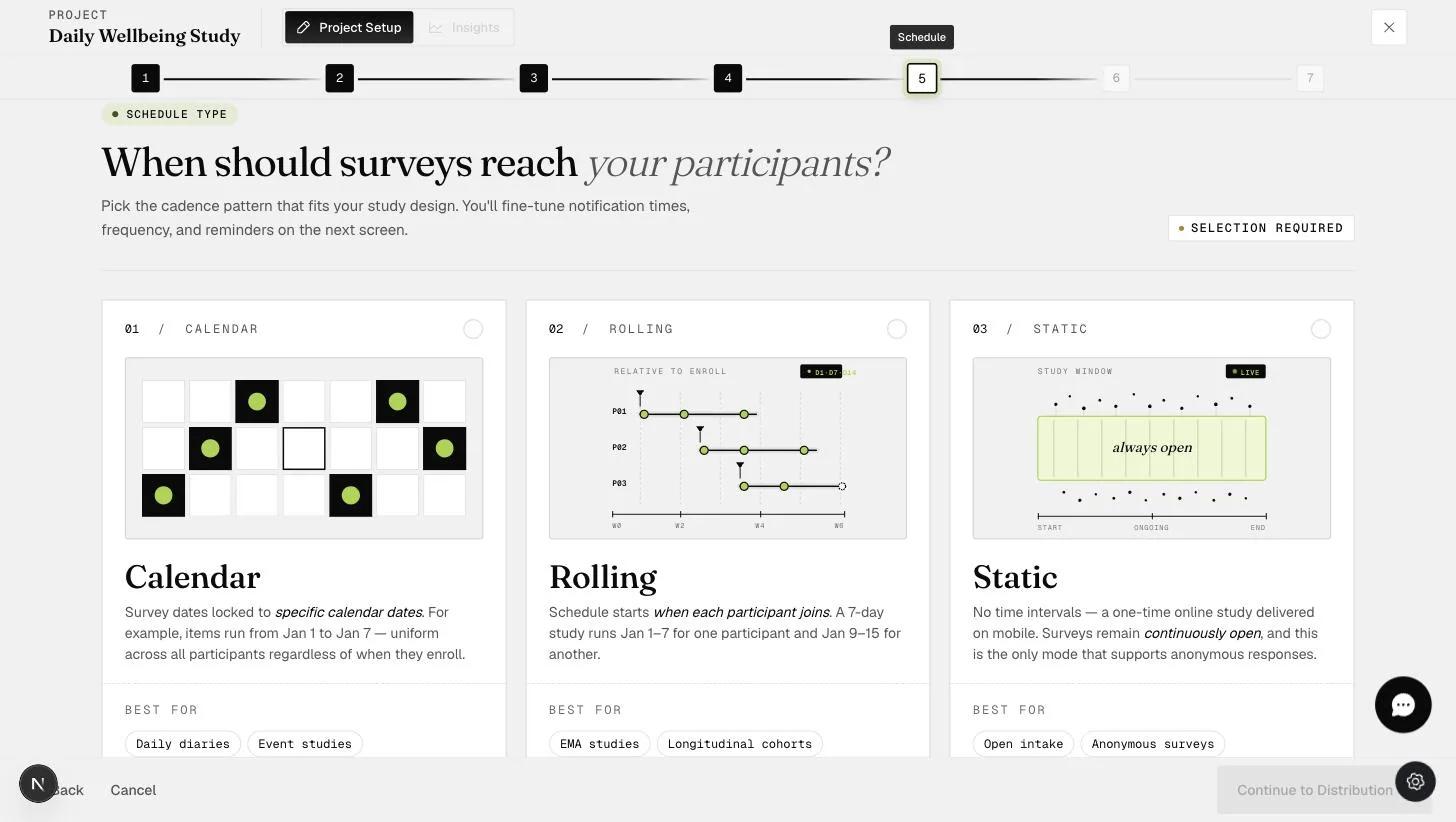
There are three main schedule types:
-
Calendar schedule: This is a calendar-based scheduling option. Researchers may want to schedule surveys for all participants on the same dates. For example, researchers may be interested in the effect of New Year's celebrations or New Year's resolutions and schedule surveys for all participants beginning on January 1st.
-
Rolling schedule: Researchers may not be as interested in collecting data from all participants on the same dates. One may seek to collect, for example, 2 weeks' worth of data from participants regardless of when participants start the project.
This helps with data collection as it is often difficult to start a study on the same date for all participants. The rolling schedule enables researchers to automatically collect, for example, 2 weeks of data from participants. This begins whenever a participant starts the project.
Both Calendar and Rolling schedules accommodate different scheduling variants:
-
Time-based ESM or EMA surveys (i.e., sends a signal to participants at a specific time in the day to fill in a survey)
-
Signal-contingent ESM or EMA surveys (i.e., sends a signal to participants randomly within a time slot in a day to fill in a survey)
-
Event-contingent ESM or EMA surveys (i.e., allows participants to fill in a survey whenever they encounter an event in the day)
-
All of the above in different combinations
-
Static schedule: Researchers may not need to schedule surveys based on dates or days. Instead, a researcher may seek to simply open surveys for participants to work on over a period of time.
-
This allows researchers to collect one-off survey data from participants without needing to provide a schedule.
-
This allows researchers to collect survey data multiple times. For example, a researcher may want to collect data for a "health survey" from participants whenever they fall ill over a period of 3 months.
-
-
One-time surveys
-
Event-contingent ESM or EMA surveys (allows participants to fill in a survey whenever they encounter an event in the day)
Additional Information
One of the strengths of the ExpiWell platform is that all the scheduling will be conducted based on a participant's time zone. For example, an 8am survey will be sent to participants at 8am regardless of which part of the world a participant is in. This is automatically handled through the ExpiWell participant-time algorithm.
Another strength of the ExpiWell platform is that mobile app notifications will be sent to participants for all date and day scheduled surveys. In other words, any survey scheduled within Calendar or Rolling schedule will have an app notification sent to participants to remind them that a survey is available for them to take. All app notifications are handled by the ExpiWell platform automatically, and you can set additional reminder notifications.
All of a participant's surveys are automatically linked over time. When participants participate in a project which has multiple (scheduled) surveys, all the data are linked to the participant uniquely. Researchers do not need to include survey questions requesting researcher-assigned participant IDs in order to link surveys.
Advanced Scheduling
There are more advanced scheduling options that we encourage you to check out.
-
Event-triggering: Creates or removes survey timeslots based on participant responses
-
Personalization of schedules: Enables each participant to change their schedule within the limits you set