Duplicating projects & editing project name
A Guide to Duplicating Existing Projects & Editing Project Name
Researchers may occasionally need to duplicate their existing projects for piloting purposes or to distribute them to different participant groups. ExpiWell makes this process simple by enabling researchers to swiftly duplicate projects, along with their associated surveys, schedules, and settings. Moreover, project names can be edited along the way as needed.
Duplicating a Project
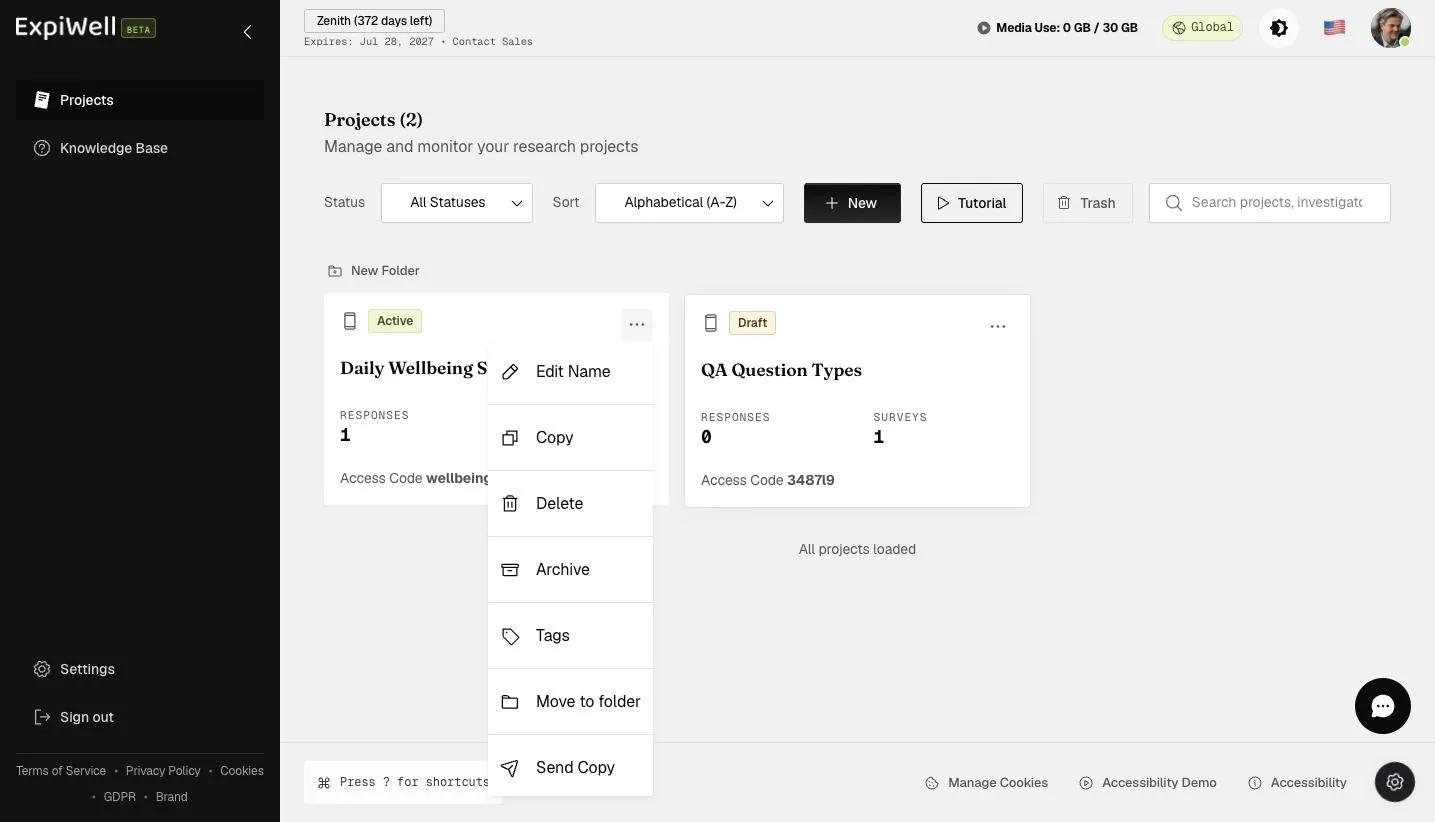
To duplicate an existing project, go to the main projects dashboard, click the three-dot menu on the project card you would like to duplicate, and select 'Copy'.
A popup will allow you to edit the name of the duplicated project.
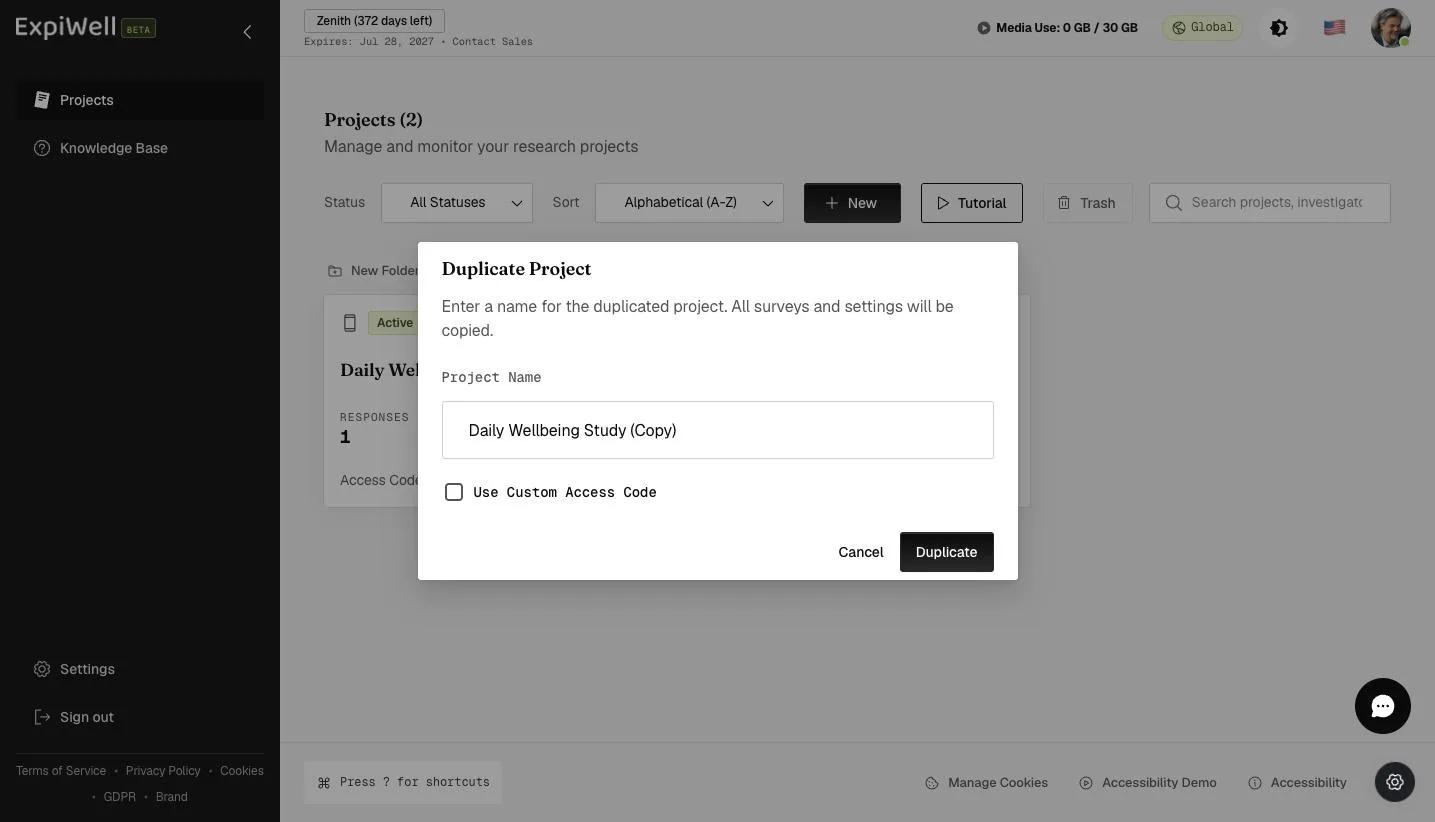
Provide a name for your duplicated project and click 'Duplicate'.
Review the duplicated project setup and make the changes according to your research needs.
Editing Project Name
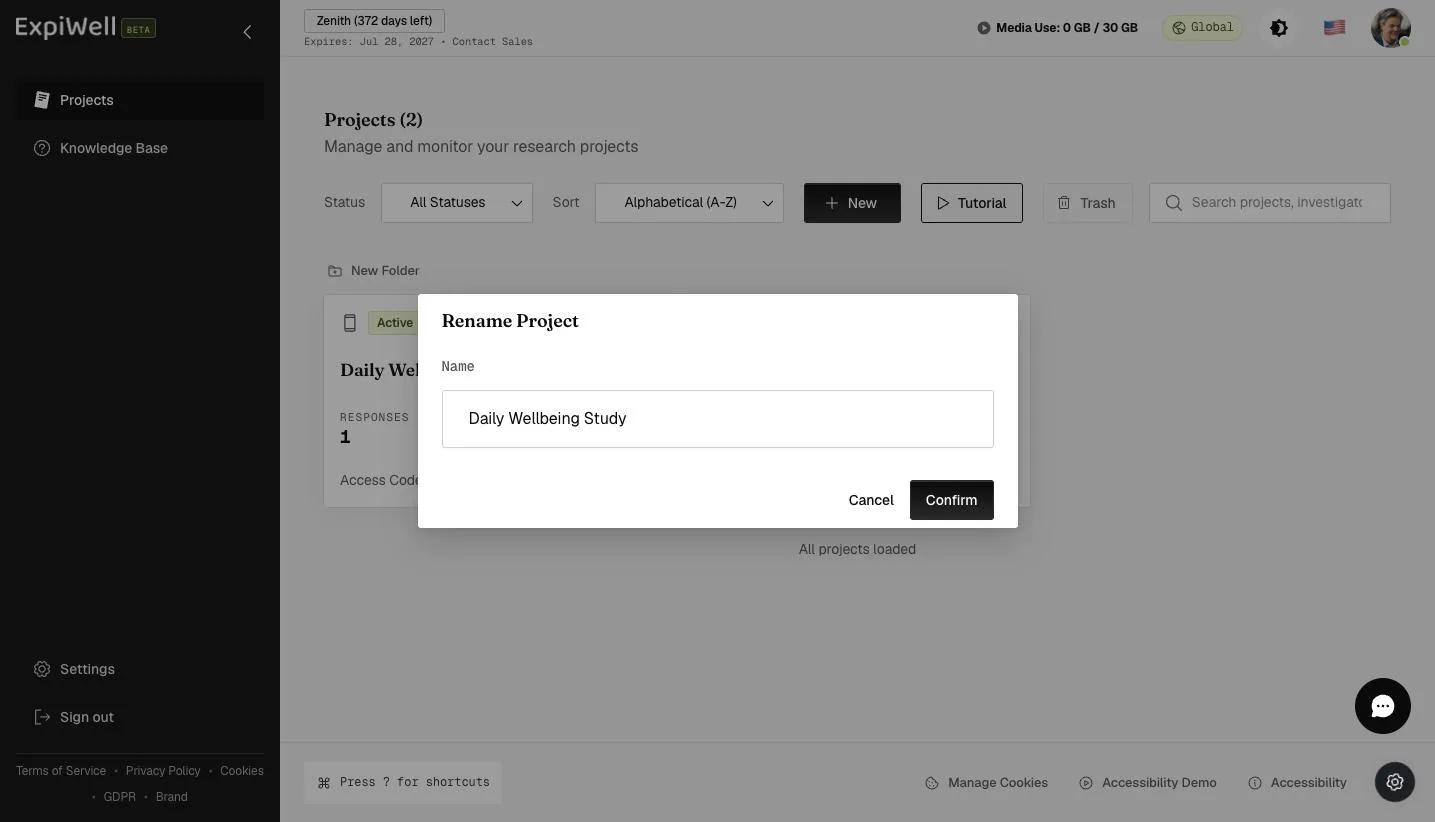
To edit an existing project name, go to the main projects dashboard, click the three-dot menu on the project card you would like to edit, and select 'Edit Name'.
A popup will appear, allowing you to edit the project's name as needed. Click 'Confirm' to update the project name on the main projects dashboard. Note that the project's access code will remain unchanged, even after the name is updated.