Audio & video automated transcriptions
In conducting Experience Sampling or Ecological Momentary Assessment, gathering audio and video adds depth and authenticity to the collected data. Nevertheless, the full potential of these data formats is amplified through automated transcriptions. To do this, please follow the steps below.
1. Survey Creation
-
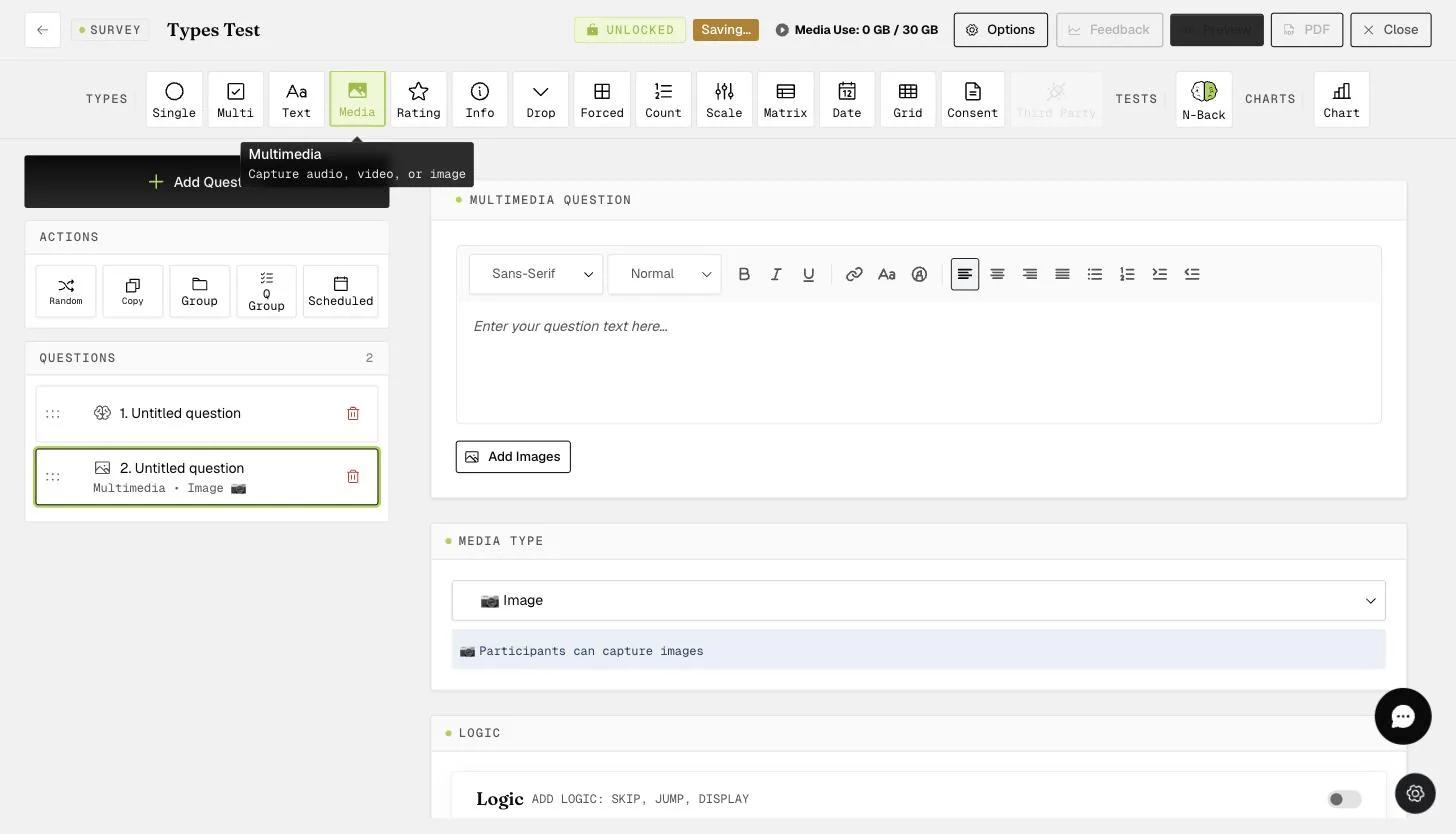
Start by crafting your survey using our intuitive platform.
-
Use the multimedia question type, selecting 'Audio' or 'Video' as the input type.
2. Participant Interaction
-
Participants will encounter a question prompting them to record an audio response.
-
A 'RECORD AUDIO' or 'RECORD VIDEO' button appears, allowing participants to initiate the recording.
3. Recording Process
-
Upon clicking 'RECORD AUDIO' or 'RECORD VIDEO,' participants can freely articulate their thoughts or share experiences using the built-in microphone or camera on their device.
-
Post-recording, participants have the flexibility to review or retake the recording by hitting 'Clear Media.' Clicking 'NEXT' seamlessly moves them through the survey.
The same goes for collecting videos from participants.
4. Collected Data
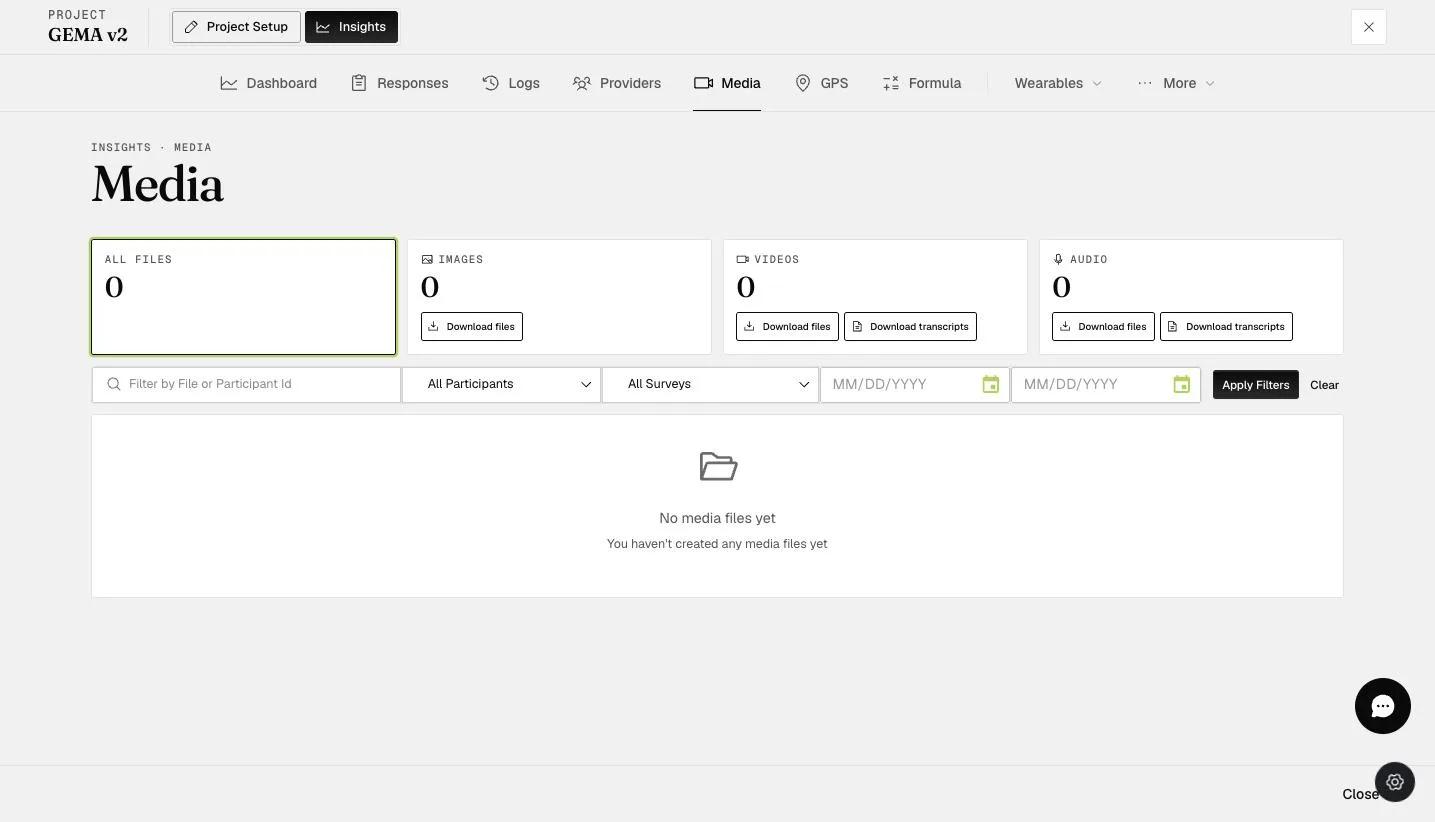
- As participants engage, the collected audio and video data are neatly organized on the 'Insights' page under the 'Media' tab.
5. Data Download
- You can download the transcriptions in a user-friendly format, compatible with programs like WordPad or other text editors.
By incorporating these steps, you not only enhance the participant experience but also streamline the process of collecting, managing, and analyzing multimedia data with automated transcriptions.