Sharing projects with other ExpiWell users
How to Share Projects with Other ExpiWell Users
ExpiWell allows researchers on paid subscriptions to send a full copy of their projects to other users. This feature gives the sender full control over what a receiving user is allowed to do with the project. The sender can restrict the receiver on the type of changes or actions permitted on the project.
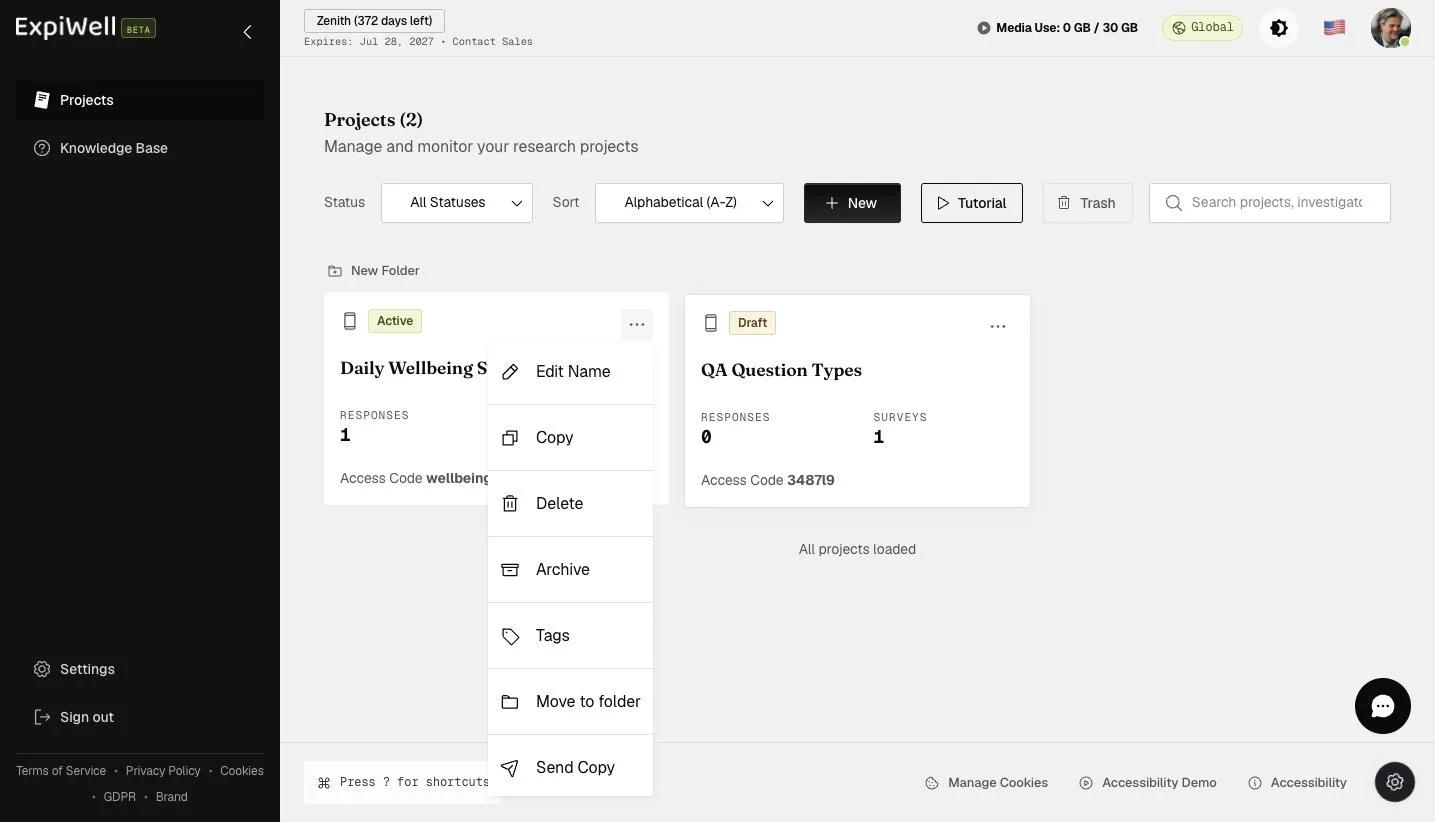
- Click on the "⋮" symbol for the project you would like to send to other users and select "Send Copy" on the dropdown list.
- Enter the recipient's email and select the required restriction options for the shared project. The three categories these restrictions can fall into are: "General Restrictions," "Survey Restrictions," and "Schedule Restrictions." Click "Send Copy" to send a copy of the project.
- A notification will appear on the "Projects" page to indicate that the project copy was sent successfully.
- The receiving user will now be able to view a copy of the project on their dashboard and the restrictions that are in place for it. Click on the "⋮" symbol at the bottom right and click "Restrictions."
- For receiving users, restricted projects will indicate that the surveys page includes restrictions on creating new surveys/folders.
The surveys page will also change the language from "Edit Survey" to "View Survey," depending on the restrictions placed. If restricted, the "Delete Survey" option may also disappear from the list of actions.
- Similarly, receiving users will see if the schedule includes restrictions.
Sharing Projects with Other ExpiWell Users is a feature that epitomizes collaboration and knowledge exchange in research. This capability allows researchers to share their projects and control how they are used and modified. The ability to set specific restrictions while sharing projects fosters a collaborative environment while respecting the integrity and purpose of the original project.
This feature is instrumental in promoting collective learning, allowing researchers to benefit from each other's work and encouraging innovation and improvement in research methodologies. This sharing functionality exemplifies ExpiWell's commitment to fostering a community of researchers and enhancing the scope and impact of studies through shared project setups and collaborative efforts.