Participants viewing past responses
Review Past Responses
Some participants may wish to see their previous responses in conducting your Ecological Momentary Assessments or Experience Sampling Research. It is helpful as some participants are more motivated if they can review their answers in past surveys.
In the survey builder, click the "Feedback" button.
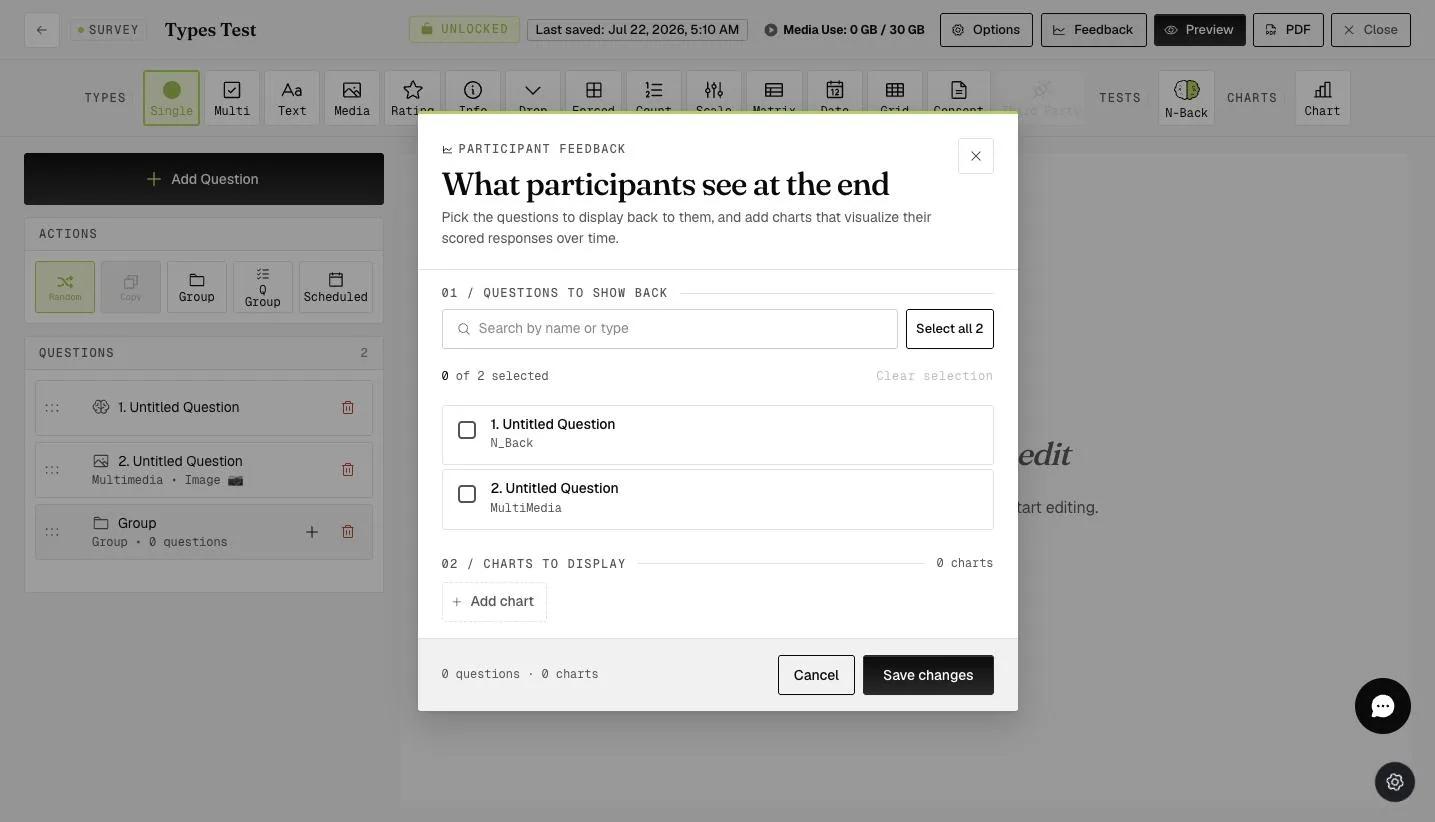
Go to the "Questions to show back" section.
Select the questions you wish participants to see their responses to. You can "Select All", and click "Save".
EXPIWELL MOBILE APP VIEW
After you set this up, you can download the ExpiWell Mobile App and test this function.
In your ExpiWell Mobile App, go to one of your surveys, and click the (3 dots).
Click "Show Previous Responses".
And it will display your previous responses to the specific survey.
This walkthrough was recorded in the earlier ExpiWell interface — an updated video for the new dashboard is coming.