Dynamic link
Why You Need to Know More About Dynamic Links
For ecological momentary assessment (EMA) and experience sampling method (ESM) surveys, researchers may need to create a dynamic link in order to synchronize the data with external data collection websites. To achieve this, ExpiWell provides a dynamic link option.
With this option, you can embed the ExpiWell ID, session count, etc., into the survey link (e.g., Qualtrics). This allows you to see the ExpiWell ID or any other information you have "appended" to the end of a URL of the external survey when you download the external site data file. This information is stored in the query string and is captured by the website when it reads the URL.
Dynamic link: Allows you to dynamically change parameters within a website link. This will change each time a participant sees the link so you can provide unique links based on study ID, participant ID, and Session ID.
EXAMPLE: MANYBRAINS.NET
The site www.manybrains.net provides state-of-the-art open access cognitive assessments. To ensure that the ExpiWell participant data is synced to Many Brains participant data, we rely on a dynamic link.
Each participant receives a customized link that includes their Study ID, ExpiWell anonymized participant ID, and Session ID.
https://studies.testmybrain.org/purduedd_staging/?study=purduedd&id=anonid&session=1
The Study ID (e.g., study=purduedd) is the unique study name assigned by Many Brains as a static URL parameter.
The Participant ID (e.g., id=anonid) is delivered to the Many Brains system as a dynamic URL parameter. The anonymized participant ID will be stored with the cognitive testing data, so that the research team can re-identify the participant when the research team receives the data from Many Brains.
The Session ID (e.g., session=1) is a dynamic URL parameter that lets Many Brains know what session a specific participant is on so researchers can link the Many Brains assessment session data to the ExpiWell data.
Creating Dynamic Link in ExpiWell
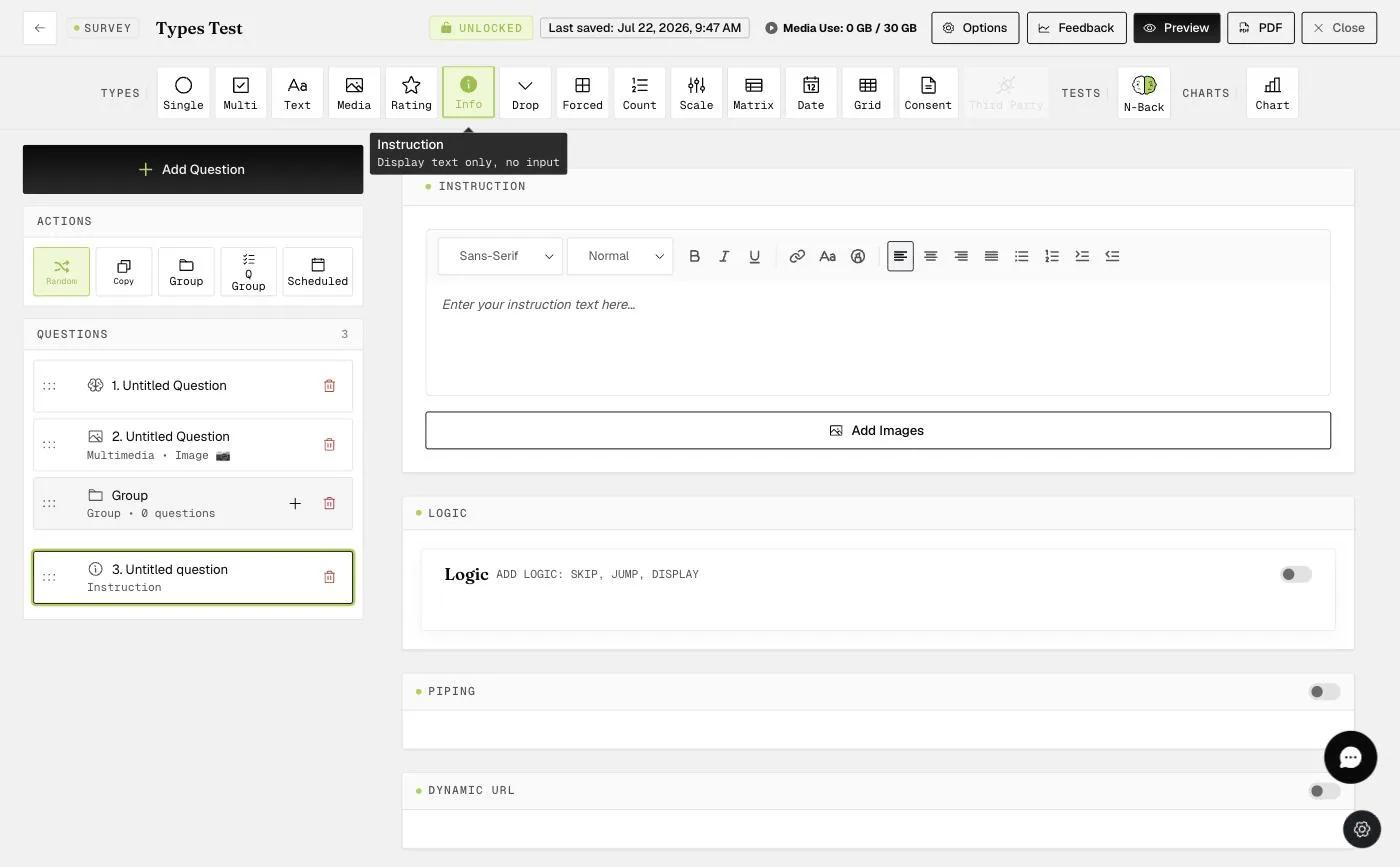
The dynamic link can be created in the "Instruction" question
in the survey builder. You will need to toggle on "Dynamic URL" and click "Configure Dynamic URL" as shown below.
This will generate a pop-up where you can input your base link in the "Base URL" field, prior to all the parameter specifications (i.e., before the "?" term).
You can then specify the parameters by clicking on the "+" button.
Parameter Name: Type in the parameter name that will appear in the link (e.g., study, id, session)
Value Type: Select the type of value each parameter name corresponds to.
-
Custom: follows whatever a researcher types (e.g., "purduedd" as the study name)
-
ExpiWell ID: Unique ExpiWell participant ID
-
Session Count: Session count that will increase each time a participant is scheduled to click on the link
See below for the completed dynamic URL link in the pop-up.
The dynamic link will be included in the instruction question, as shown in the grey field below.
This will appear in the mobile app as shown below:
This data will then be captured in the external site data file as shown below:
Hyphens Only Dynamic Link
In some cases, the backend code of certain external websites may not support auto-generated dynamic URLs that contain special characters in the appended code. As an alternative, hyphens can be used exclusively in dynamic URL links.
When this option is selected, the complete generated dynamic URL link will appear as shown in the example below.
FAQ
1) How does the Session Count increase?
The session count will increase based on (1) scheduled survey and (2) whether the link is unique.
2) Do I need to complete the ExpiWell survey for the data to be embedded in my external survey?
The dynamic link does not require the completion of the ExpiWell survey to embed the data. The link itself already contains the data. When someone clicks on the link, information is sent via the link to the external survey software (e.g., Qualtrics). However, the participant will need to complete the external survey (e.g., Qualtrics) for you to access the rest of the data beyond, for example, the ExpiWell ID that was embedded in the link.