N-Back cognitive task
The N-Back task is a cognitive exercise frequently employed in psychological research and neuroscience to assess working memory and cognitive control. This article will walk you through creating the N-back task in ExpiWell.
If you're unfamiliar with the N-Back task, it's essential to understand its components and learn how to analyze the data beforehand. Otherwise, feel free to scroll below to proceed with creating the N-Back task.
Components:
Stimuli: The stimuli used in the N-Back task can vary depending on the specific study or experiment. Common types include letters, numbers, and shapes. The stimuli are presented sequentially to the participant.
N-Back Condition: The "N" in the N-Back task refers to the number of steps back in the sequence that participants must remember and compare the current stimulus to. For example, in a 1-Back task, participants compare the current stimulus to the one immediately preceding it.
Response Recording: Participants typically indicate whether the current stimulus matches the one presented "N" steps back by pressing a button. Their responses are recorded for analysis.
Task Variations: The N-Back task can be modified in various ways to suit different research goals or study designs. This includes changing the value of "N" (e.g., 1-Back, 2-Back), varying the presentation rate of stimuli, and manipulating the difficulty level of the task.
Sample illustration:
Data Analysis:
Accuracy: The primary measure of performance in the N-Back task is accuracy, which refers to the proportion of correct responses out of the total number of trials. Accuracy scores can be calculated for each level of the N-Back task (e.g., 1-Back, 2-Back) and compared across conditions or groups.
Reaction Time: Researchers may also examine participants' reaction times to assess processing speed and efficiency during the task. Reaction times are typically measured from the onset of the stimulus presentation to the participant's response.
Error Types: Errors in the N-Back task can provide additional insights into cognitive processes such as attentional lapses, memory retrieval failures, and response inhibition. Common error types include false alarms (incorrectly identifying a non-matching stimulus as a match) and misses (failing to identify a matching stimulus).
N-Back Task Setup in ExpiWell
To initiate the creation of an N-Back task within the ExpiWell platform, navigate to the "Build Surveys" step. Begin by utilizing the 'Instruction' question type to provide participants with preliminary instructions.
Proceed by selecting the "N-Back" button and input the specific instruction for this N-Back.
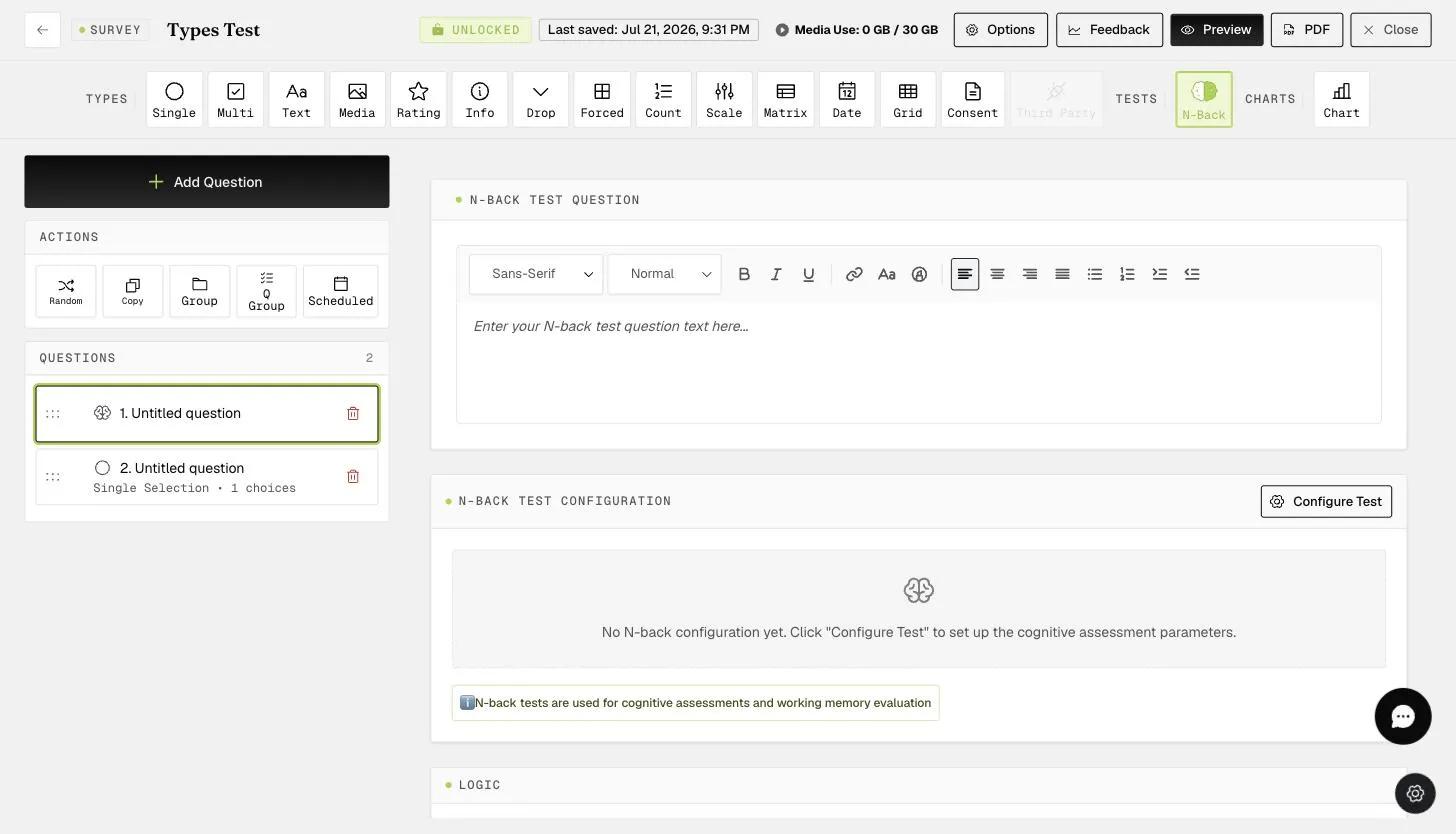
Next, configure the components of the N-Back task. For instance, in one scenario, it may be a 1-Back task involving the presentation of LETTERS to participants.
Alternatively, in another scenario, it could be a 2-Back task featuring SYMBOLS. To configure symbols, please visit here.
Participants will then have the option to proceed by clicking 'CONTINUE'. Subsequently, they will be presented with two response choices:
'NO' - if they think the N-Back is incorrect.
'YES' - if they think the N-Back is correct.
Upon participants providing their responses, researchers can access the results by navigating to the "Insights > N-Back" section. Furthermore, results can be downloaded by utilizing the 'Download' button located on the right-hand side.
This is an example of the data file. For instance, it may indicate a participant's 100% accuracy in correctly answering the N-Back task (highlighted within a black box). It also shows the trial accuracy of the respondents (highlighted within a gray box). In this example, researchers set up 1-Back and 3 correct 1-Back appearances, as shown by the last three stimuli highlighted within a yellow box.
Example Calculation
N-Back accuracy
Let:
A = total N-Back
B = total correct N-Back answered by the respondent
C = Percentage?
C = B/A x 100
e.g. You have set up 5 N-Backs (A), and a respondent got 4 correct N-Backs (B)
C = 4/5 x 100
C = 80%
Total trial accuracy
Let:
A = total trials
B = total correct trials answered by the respondent
C = Percentage?
C = B/A x 100
e.g. You have a total of 10 trials (A), and a respondent got 9 correct trials (B)
C = 9/10 x 100
C = 90%
If you have any questions or clarifications, please reach out to help@expiwell.com