Feedback for screened-out participants
Providing Feedback
When you have a Project Screener in place, you will want to also provide feedback to participants who were screened out. This will enable participants to know why they were excluded from the project, or to simply know that they are not eligible for the project.
Creating Feedback
You will want to ensure that you have the Project Screener in place in "Build Surveys".
Then, click on the "Project Screener" step.
You will be able to see the default text that appears to participants who fail the screener. You can edit this.
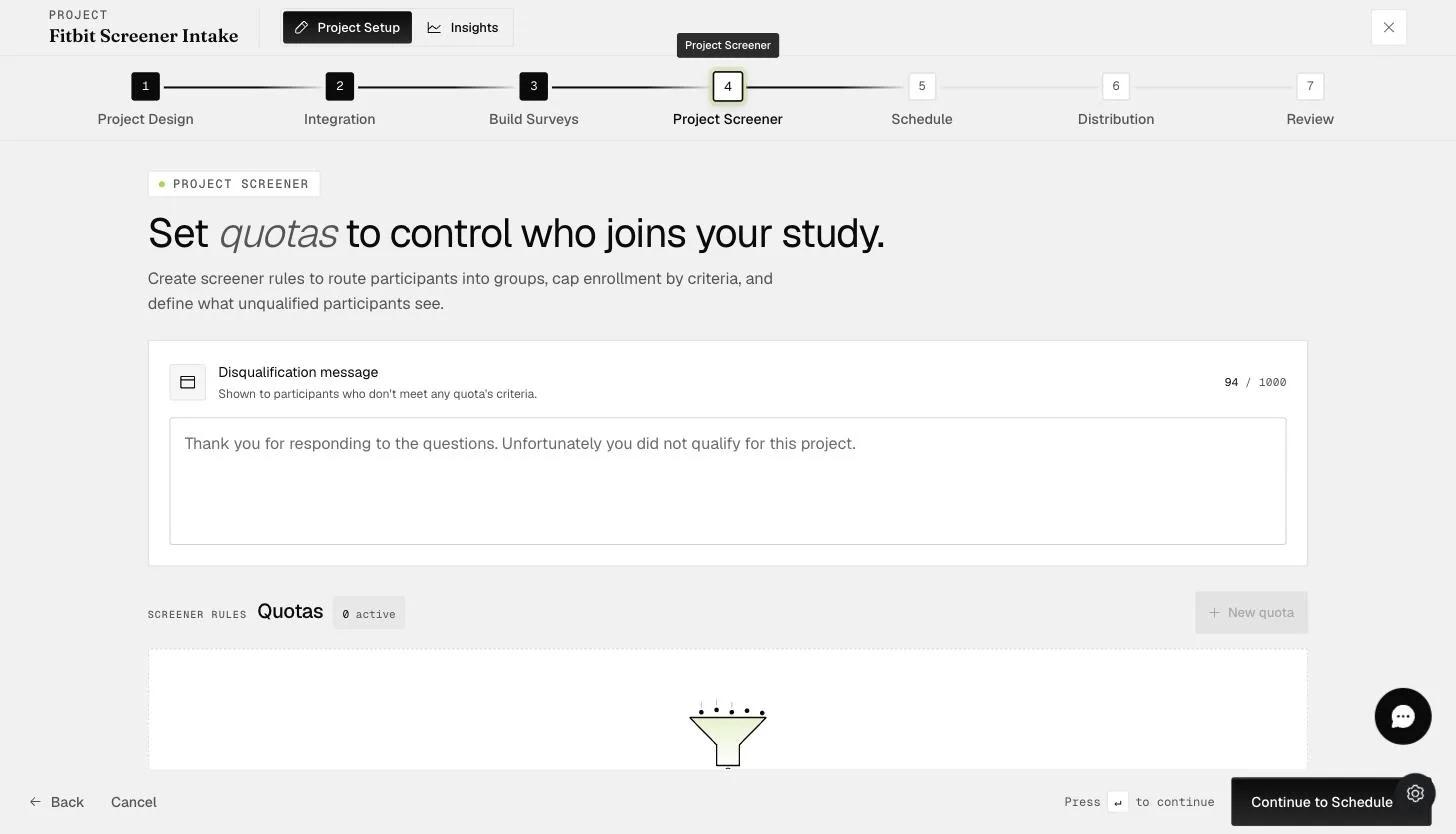
By default, participants who do not pass the Project Screener will see "Thank you for responding to the questions. Unfortunately you did not qualify for this project."
You can change this to something that is personalized for your project.