The “Me” section
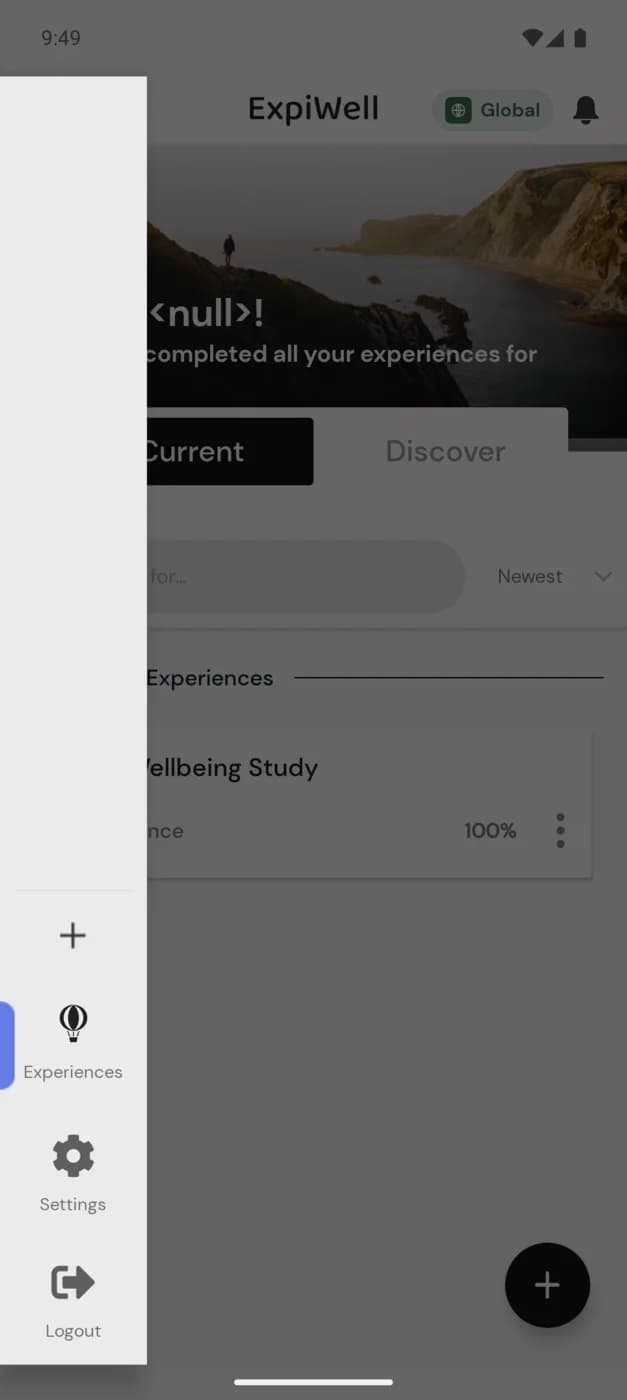
Everything about you — your account, language, balance, and privacy — lives under the app menu. Tap the ExpiWell logo (the hot-air-balloon icon) in the top-left of the home screen to open the menu, then tap Settings.
In older versions of the app this area was called the "Me" section. In the current app the same options live under the menu's Settings screen.
Opening the menu
The menu slides in from the left with four items: + (add an experience by access code), Experiences (your home screen), Settings, and Logout.
What's in Settings
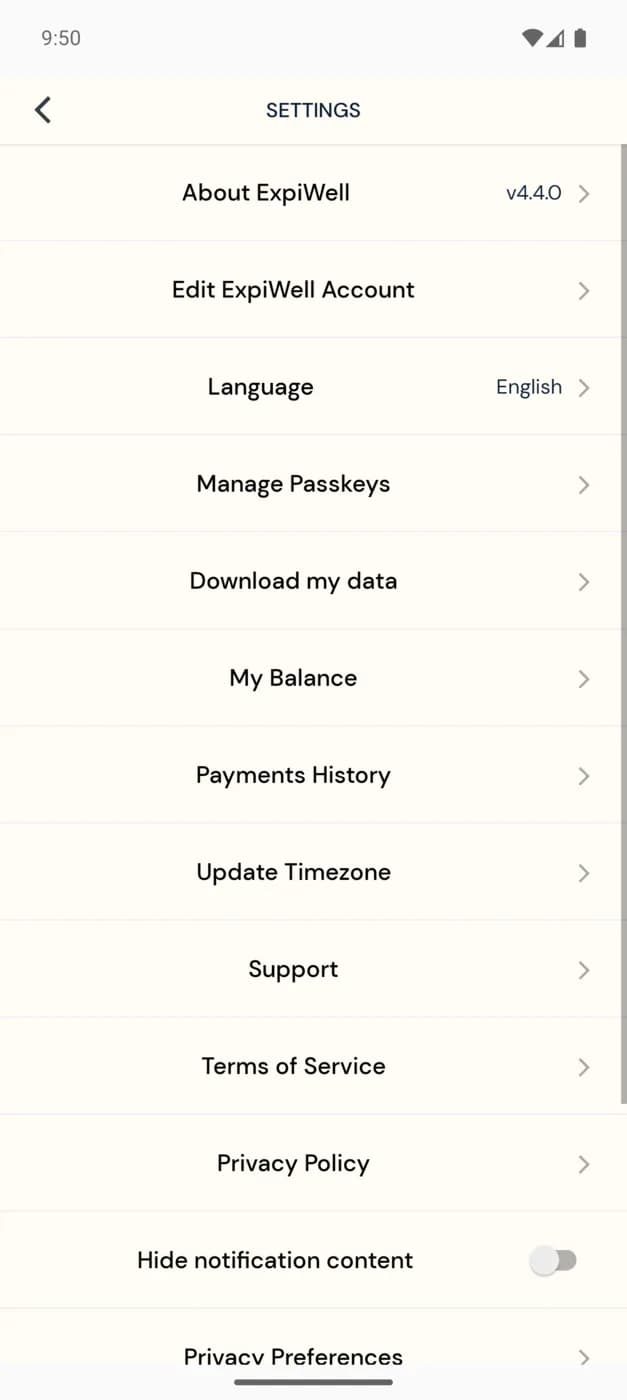
Tap Settings to manage your account and preferences:
- About ExpiWell — the app version you're running.
- Edit ExpiWell Account — update your account details.
- Language — switch the app language (English, German, Spanish, Simplified and Traditional Chinese, Hebrew, and Korean).
- Manage Passkeys — set up passwordless sign-in.
- Download my data — request a copy of your own data.
- My Balance and Payments History — track compensation you've earned; see Receiving payments.
- Update Timezone — keep survey timings aligned with where you are.
- Support — reach the ExpiWell team; to contact your study team, see Contacting the researchers.
- Terms of Service and Privacy Policy.
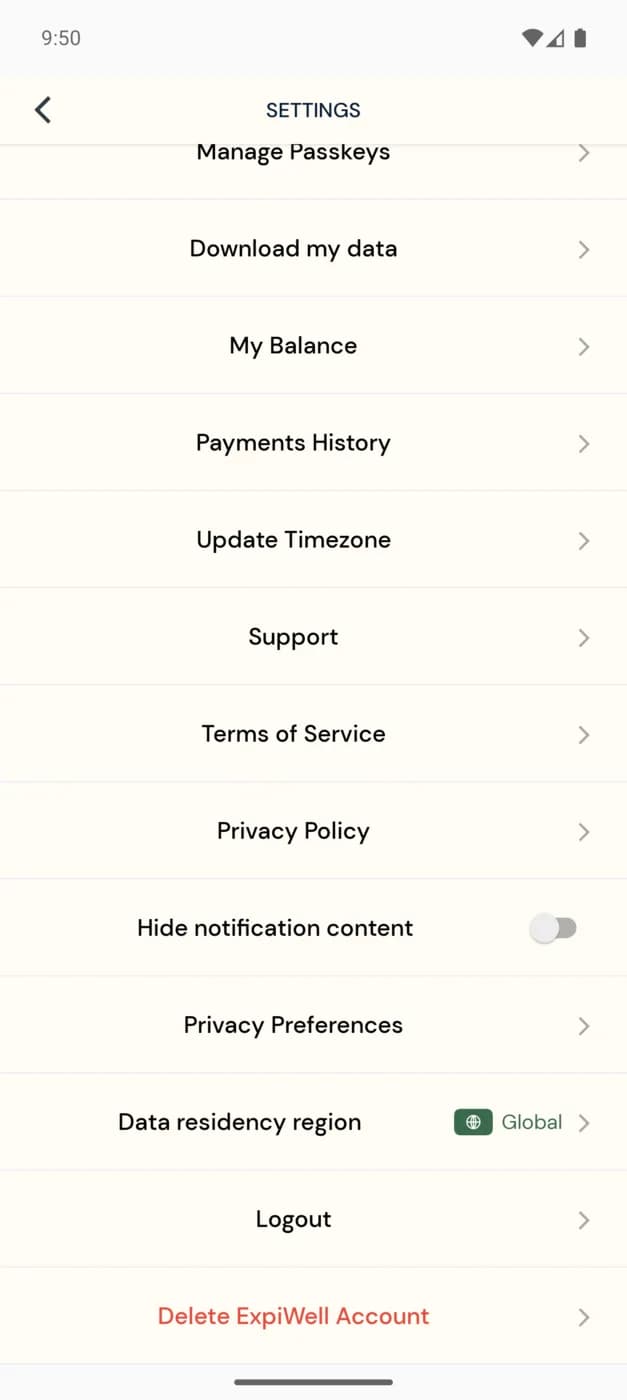
Scrolling down reveals privacy and account controls:
- Hide notification content — hide survey details on your lock screen.
- Privacy Preferences — manage your consent choices.
- Data residency region — the region your data is stored in (e.g. Global).
- Logout and Delete ExpiWell Account.
Your privacy
You take part anonymized — no identifying information is shared with researchers through the app. Use Download my data to get a copy of your own responses, and Delete ExpiWell Account if you want to remove your account entirely.